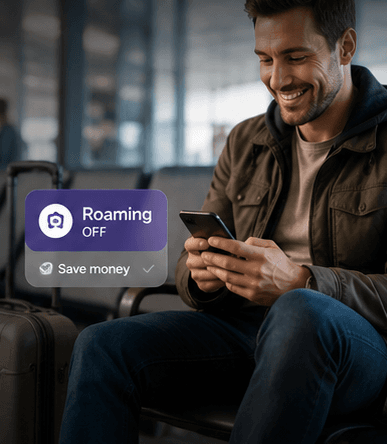
Choose between roaming, SIM and eSIM
Check your home plan first: roaming may be included, priced as a daily pass or billed at a high out-of-bundle rate. A travel eSIM is often the simplest alternative because it can be installed before departure while your physical SIM remains available for calls and account messages.
A local physical SIM can work for a longer stay, but may require a shop visit, identity checks or swapping cards. Public Wi-Fi is useful as a supplement, not a primary plan for navigation, tickets and verification codes.
Understand UK coverage
Ofcom’s checker compares the four main networks: EE, O2, Three and Vodafone. Other consumer brands use one of those underlying networks. Urban coverage is generally strong, while trains, valleys, remote coasts and indoor spaces can produce dead zones.
Check the postcode for a remote cottage or work destination rather than relying on a national coverage claim. Download maps and essential tickets for countryside days even when the forecast coverage looks good.
Set up your travel eSIM correctly
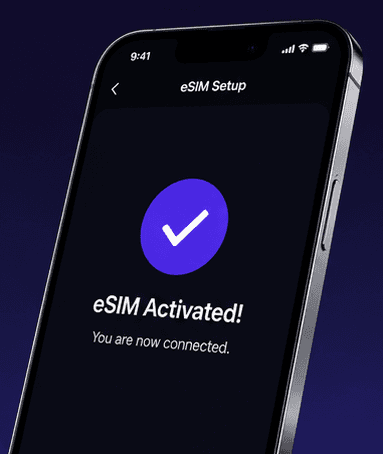
Install the eSIM on stable Wi-Fi before travel and label it clearly, for example “UK data.” On arrival, select it for mobile data and follow the plan instructions for data roaming. Keep your primary line enabled only if you understand its voice, SMS and roaming charges.
- Confirm the phone is unlocked and eSIM-compatible.
- Save the QR code and manual installation details securely.
- Turn off mobile-data switching if it could use the home SIM.
- Test maps, messaging and the XEXeSIM usage page after connection.
Estimate how much data you need
Maps, messaging, tickets and ordinary browsing often fit within a few gigabytes per week. Video, cloud photo backup, tethering and social media uploads increase usage quickly. Download entertainment and operating-system updates on trusted Wi-Fi.
For account security, avoid sensitive transactions on open Wi-Fi unless you trust the network and connection. Keep device updates current, use the official network name and disable automatic connection to unknown hotspots.
Clear answers
Frequently asked questions
Does a UK eSIM give me a phone number?
Many travel eSIM plans are data-only. Check the plan details before purchase and use app-based calling or your home SIM when voice service is not included.
Should data roaming be on for a travel eSIM?
Follow the provider’s instructions. Many travel eSIMs require data roaming on for the eSIM line, while it should remain off for your home line unless your plan includes it.
Will mobile data work everywhere in the Highlands?
No network guarantees uninterrupted rural or mountain coverage. Check the official coverage map, download offline maps and share plans before remote walks.
Verification
Official sources and editorial notes
Reviewed on Jul 27, 2026. Entry rules, transport schedules, prices and safety guidance can change; confirm time-sensitive details at the official source before travel.